What BeatLab is
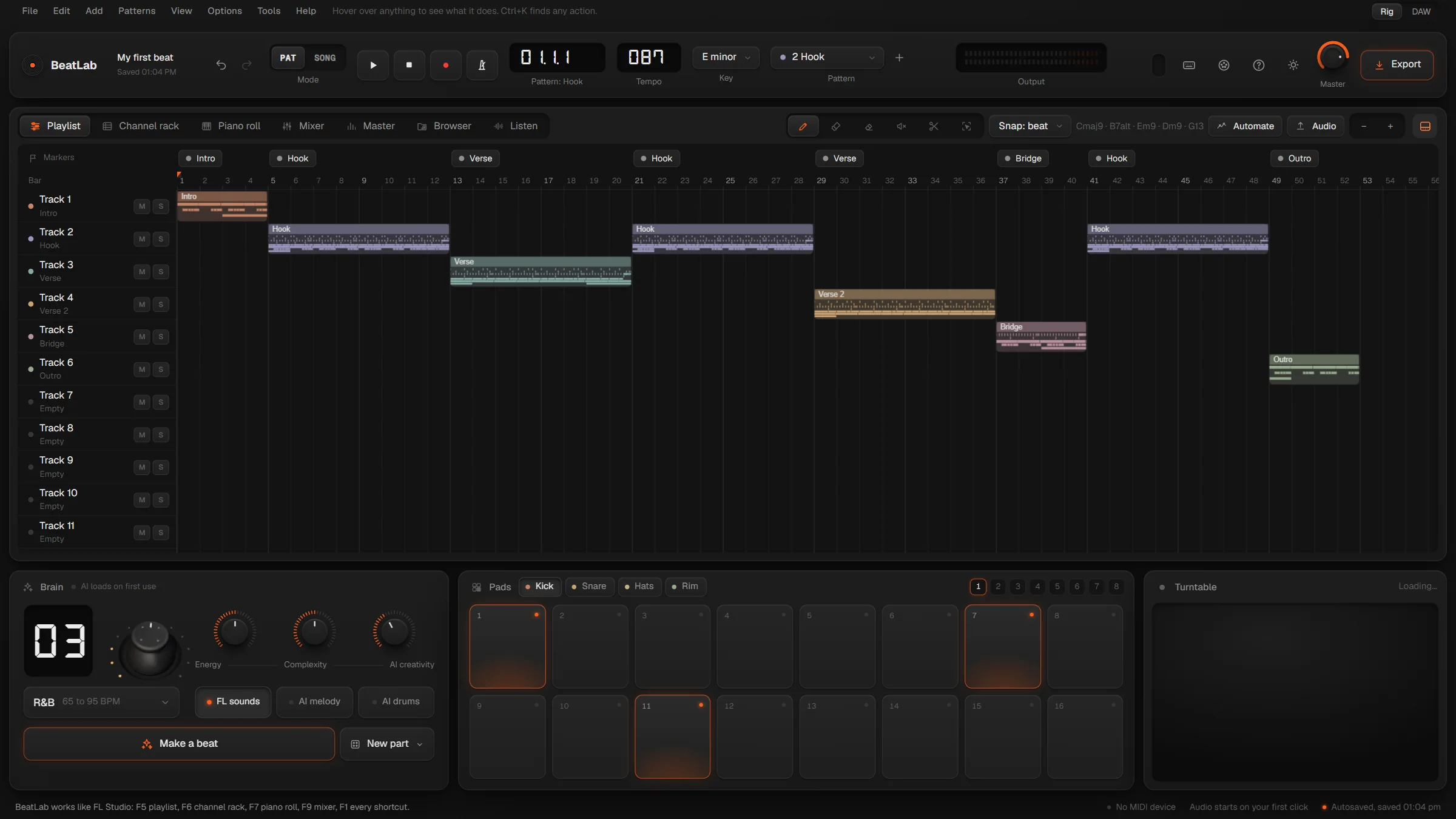
BeatLab is a beat studio for people who make beats. Patterns, a playlist, a piano roll you can play and a full mixer, laid out the way FL Studio taught your hands. It writes ideas with you, it runs on your own computer, and it will never ask you for a subscription.
01 · Playlist
Paint the song.
Numbered patterns go onto a free playlist as clips, right next to your audio. Draw, paint, delete, mute, slice and select, with snap, zoom and markers. Shift-drag a copy, right-click to delete.
- DrawP
- PaintB
- DeleteD
- MuteT
- SliceC
- SelectE
02 · Piano roll
Play it in.
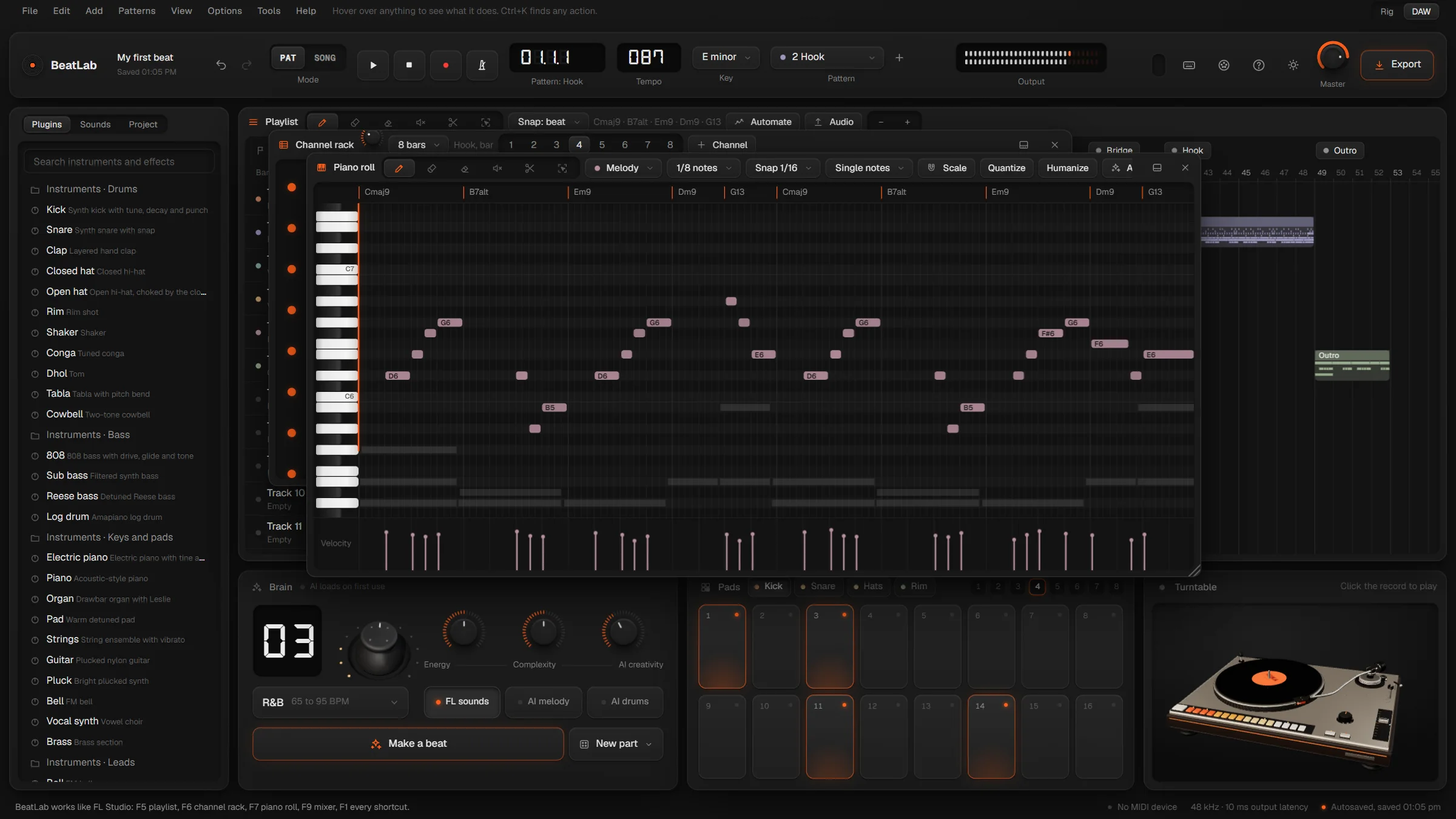
Click a key and it plays. Stamp chords, lock to the key, quantize, legato, and shape velocity by drawing. Record from your computer keyboard or a MIDI controller, or just hum the tune: BeatLab writes it down in key and on the beat.
- Hum it
- Chord stamps
- Scale snap
- QuantizeCtrl Q
03 · The brain
Start from a spark.
Pick one of twelve styles and press Make a beat: drums, 808, chords and melody, written in a moment and kept in patterns you can edit. Switch on AI melody and AI drums and a small model runs right in your browser. No account, no bill.
- 12 styles
- Energy and complexity
- AI melody
- AI drums
04 · Mixer
Mix it properly.
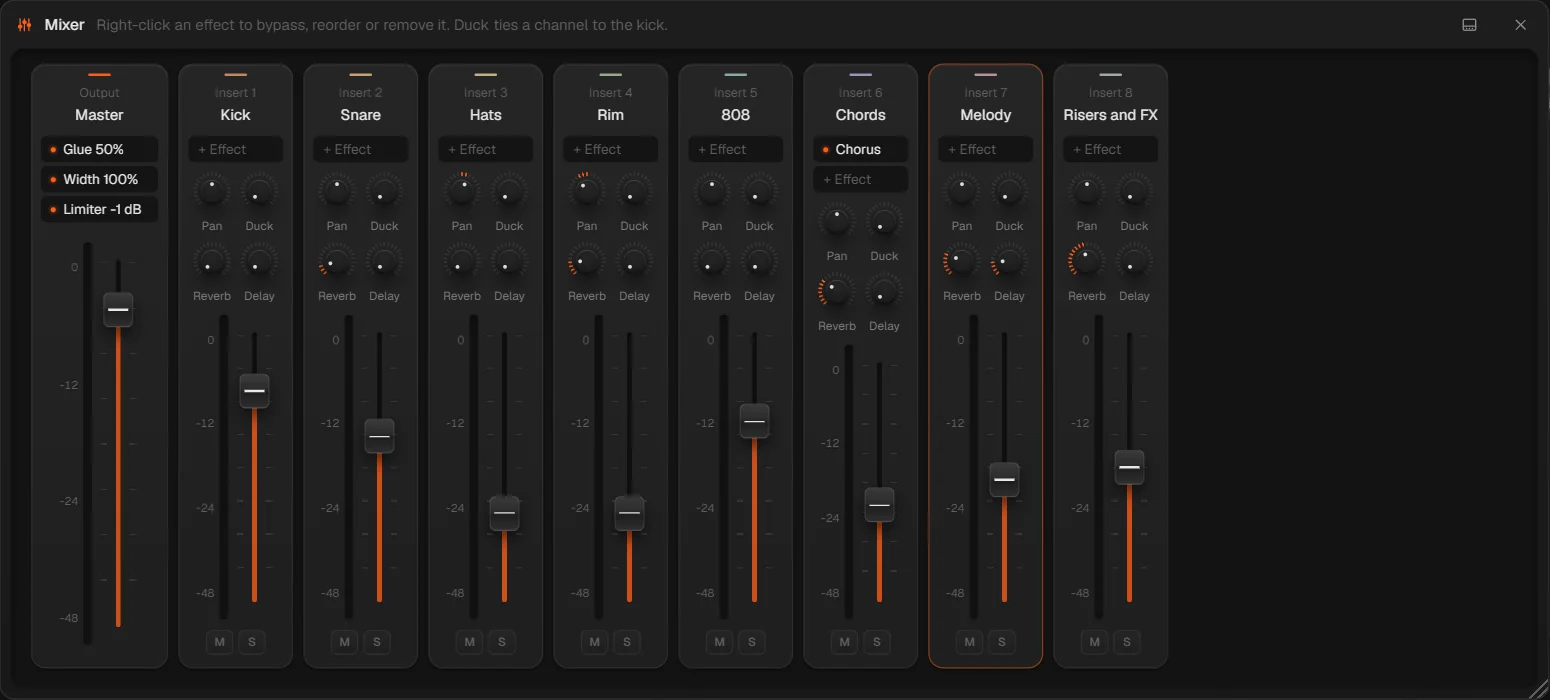
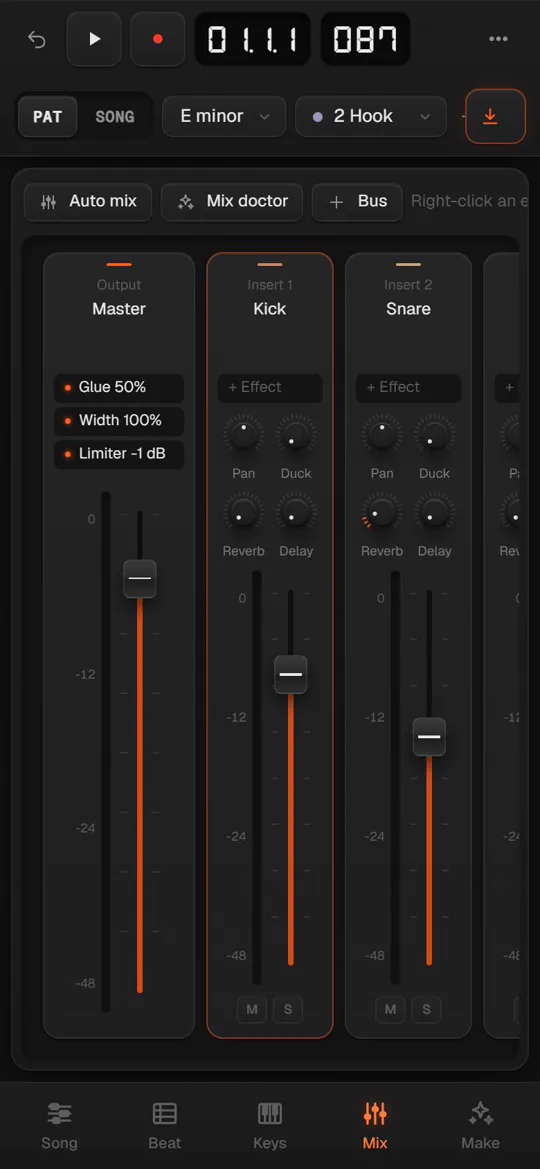
Every channel gets an insert with pan, reverb and delay sends, and a chain of effects you can bypass and reorder, from EQ and compression to half-time and Tune. Then the mix doctor listens, scores it out of 100 and fixes what it hears.
- 23 effects
- Mix doctor
- Sidechain duck
- Bypass and reorder
05 · Master
Finish it.
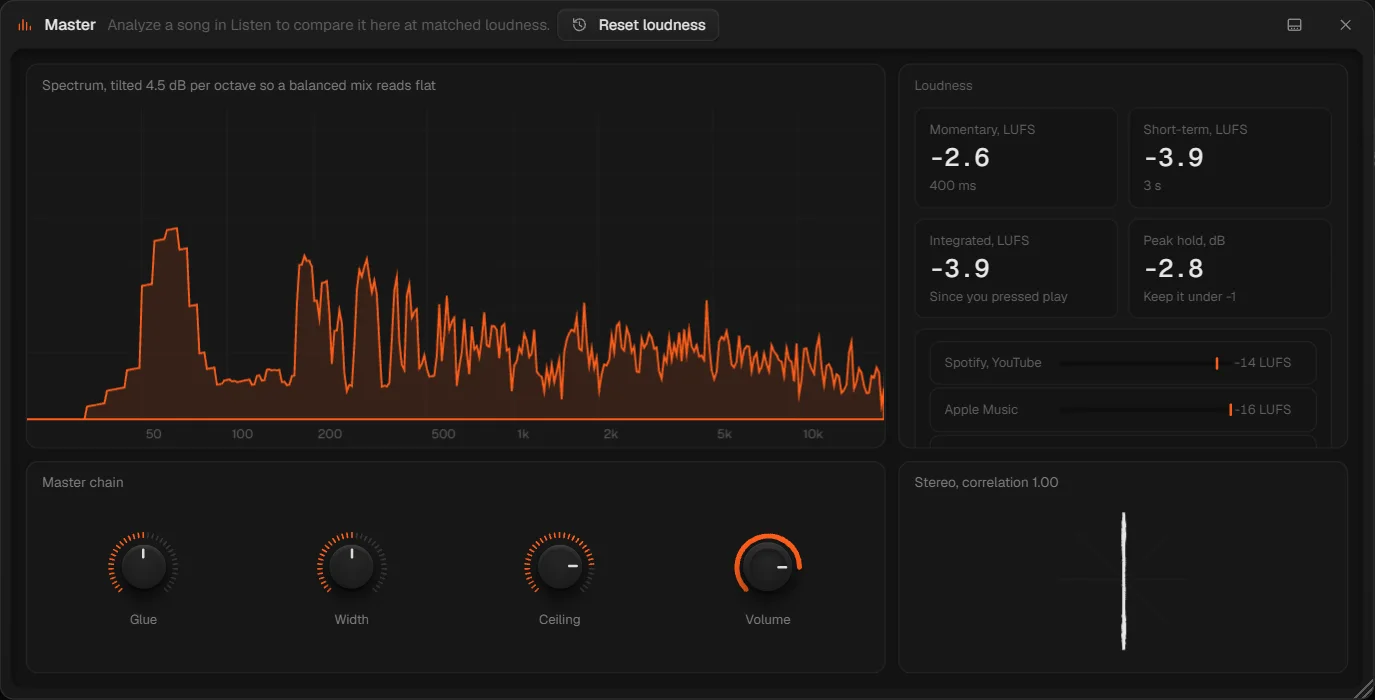
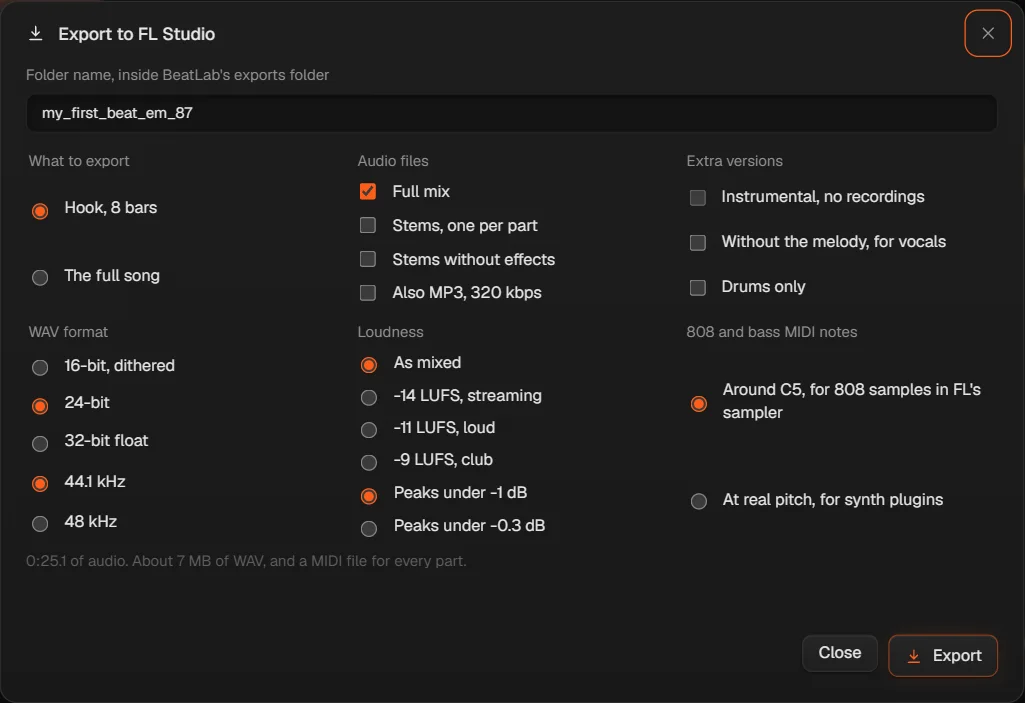
A master chain with glue, width and a ceiling, a tilted spectrum and true LUFS meters with targets for Spotify and Apple Music. Then export WAV, MP3, stems or MIDI and carry on in FL Studio.
Recorded in BeatLabPainting the hook along a track
Its own brain
It helps.
You decide.
Everything the brain does is an ordinary edit you can see, change and undo with one Ctrl+Z. It runs on your own computer, so there’s no account and no AI bill.
Ask in words
“Half-time the hats on the last beat and a punchier kick.”
Type what you want and BeatLab shows its plan before doing it. It understands tempo, key, parts, effects and the mix, and a small free AI model can rewrite anything else into a plan.
Hum it
Hum the hook. It’s in the piano roll.
BeatLab hears each note, cuts them where your syllables change, and snaps them to the song’s key and the beat, in the right octave for the part.
The mix doctor
33 → 94
It listens to your beat part by part, names each problem in plain words, like the kick fighting the 808, and fixes it in one click. That’s the starter beat, before and after.
Two ways to work
Rig or DAW.
Switch any time.
Rig puts one big screen above the hardware: pads, the brain and a turntable you can scratch. DAW gives you floating, resizable windows over the playlist, like the studio you already know. Drag the line to compare.
On your phone
A pocket
studio.
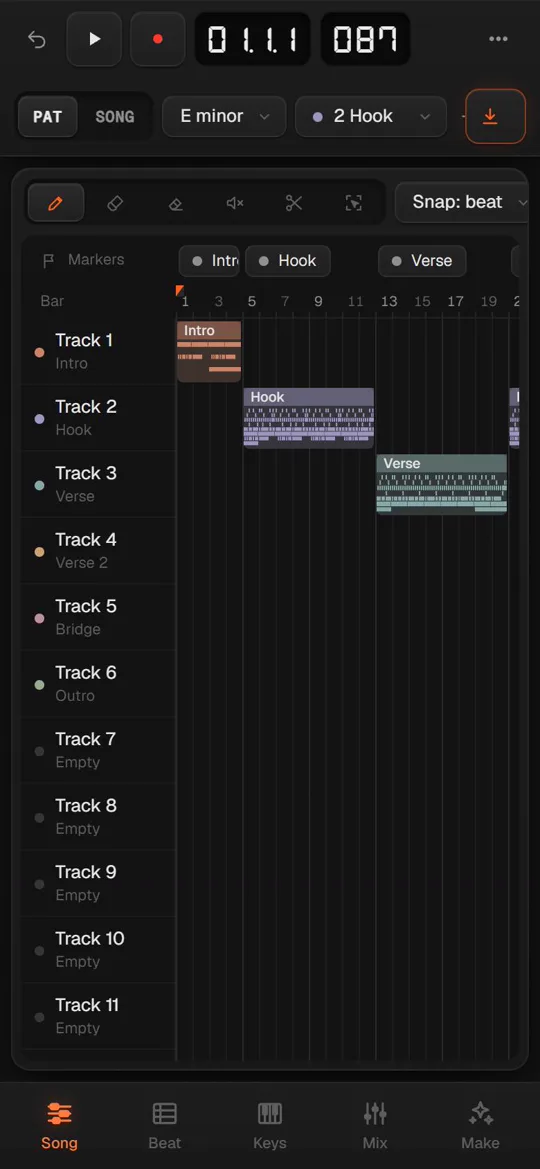
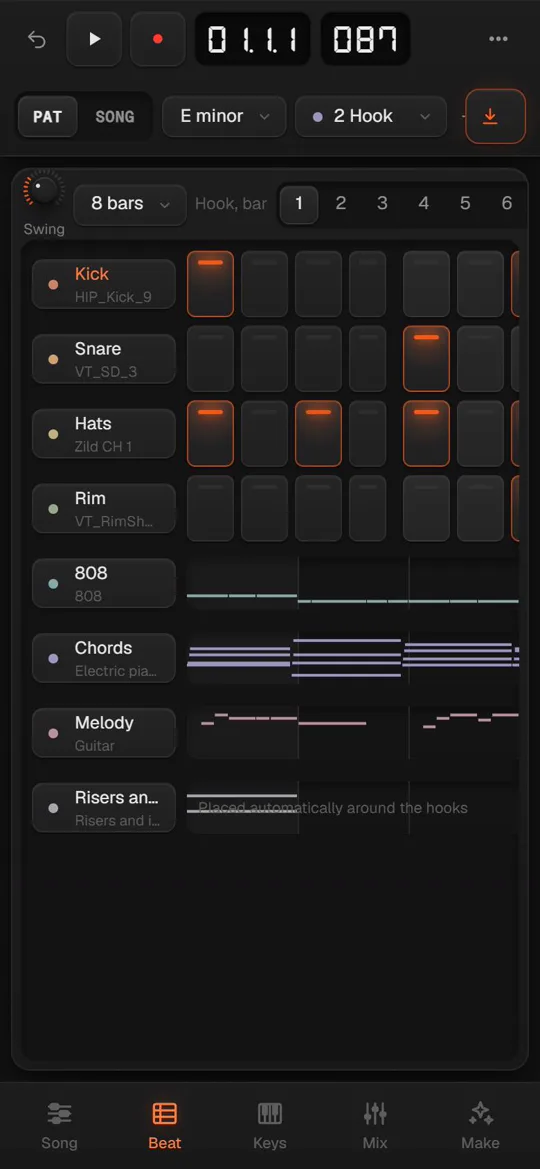
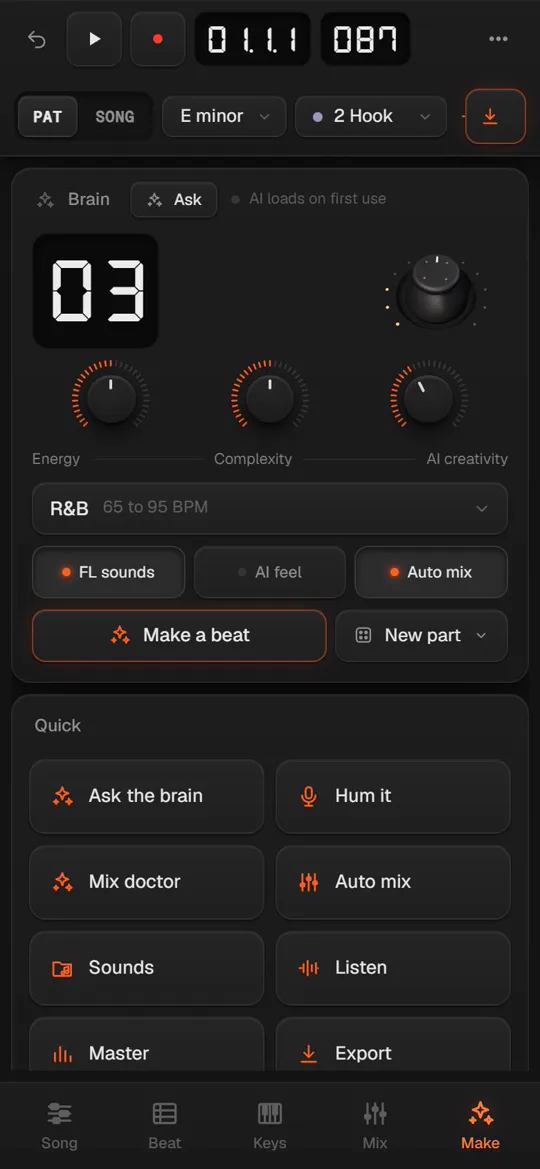
Open BeatLab on a phone and it becomes one screen at a time, with big buttons for your thumbs. Song, Beat, Keys and Mix are a tap apart. Make holds the brain, the drum pads, humming and the mix doctor. It’s the same studio and the same project.
Built in, free
Its own instruments
and effects.
Original BeatLab plugins on every channel, nothing to buy. Your FL Studio plugins stay in FL: send them BeatLab's MIDI and stems and keep going.
0Subscriptions
0Accounts
12Styles
23Effects
1Press to a full beat
Shortcuts
Your hands
already know it.
The FL Studio keys work here: function keys for the windows, letters for the tools, and Ctrl+K finds any action by name. Press F1 in the studio to see every one.
F5Playlist
F6Channel rack
F7Piano roll
F9Mixer
SpacePlay or stop
LPattern or song
RRecord
F4New pattern
Ctrl BDuplicate
Ctrl KFind any action
Get it
Start in a minute.
1Get BeatLab
Download it from GitHub, unzip it and double-click Install BeatLab. Or press Open the studio to use it right here in your browser.
2Double-click BeatLab
The shortcut on your Desktop opens it in Chrome or Edge. There's nothing to sign up for and nothing to pay.
3Press Make a beat
Or open an empty pattern and play the keys. Everything saves as you go.
Is BeatLab really free?
Yes. No subscription, no account and no ads. The AI runs on your own computer, so there's no bill to pass on to you.
Does it replace FL Studio?
It works the way FL Studio works, so you can sketch, arrange and mix without relearning anything. When you want your FL plugins, export MIDI, stems or WAV and carry on in FL. BeatLab isn't made by or connected to Image-Line.
Do I need the internet?
Only to load the app the first time and, if you switch them on, the AI models. Your beats never leave your computer.
Where are my beats saved?
In your browser's storage on this computer, saved as you work, with named versions you can go back to. Save a project file any time to back a beat up or move it to another computer.
Can I use my own samples?
Yes. Drop a WAV or MP3 onto any channel or straight onto the playlist. If FL Studio is installed, BeatLab can play its sample packs too.
What do I need?
Chrome or Edge on a computer, or the browser on your phone. A MIDI keyboard and a microphone work if you have them, and the computer keyboard plays notes if you don't.
Does it work on my phone?
Yes. On a phone the studio shows one screen at a time with a tab bar at the bottom: Song, Beat, Keys, Mix and Make. Plugin windows open full screen and menus slide up from the bottom. Headphones help when you hum or record.